bitbox USB-C Not Detected
If your device (iOS, iPadOS, macOS, or cameras like the Sony FX6) does not recognize your bitbox as an Ethernet device, the ethernet controller is likely in the wrong USB-C mode. bitbox has two USB-C modes, X-Mode and A-Mode, and switching to the correct one fixes most USB-C connection problems.
tip
For more information about bitbox USB-C functions and modes, please review the USB-C Functions article.
USB-C Modes: X-Mode and A-Mode
The bitbox has two USB-C modes controlled by an internal switch:
- X-Mode (CDC-NCM): use X-Mode for embedded devices such as the Sony FX6, Sony FX3/FX30, and GoPro.
- A-Mode (RNDIS/ECM): use A-Mode for macOS, Windows, Linux, iPadOS, iOS, and Android.
Required Tools
- 1.5mm hex driver
- Spudger
Switching Between X-Mode and A-Mode
- Power down bitbox.
- Remove the back plate of the bitbox, there are 4 M2.5 screws which hold it on.
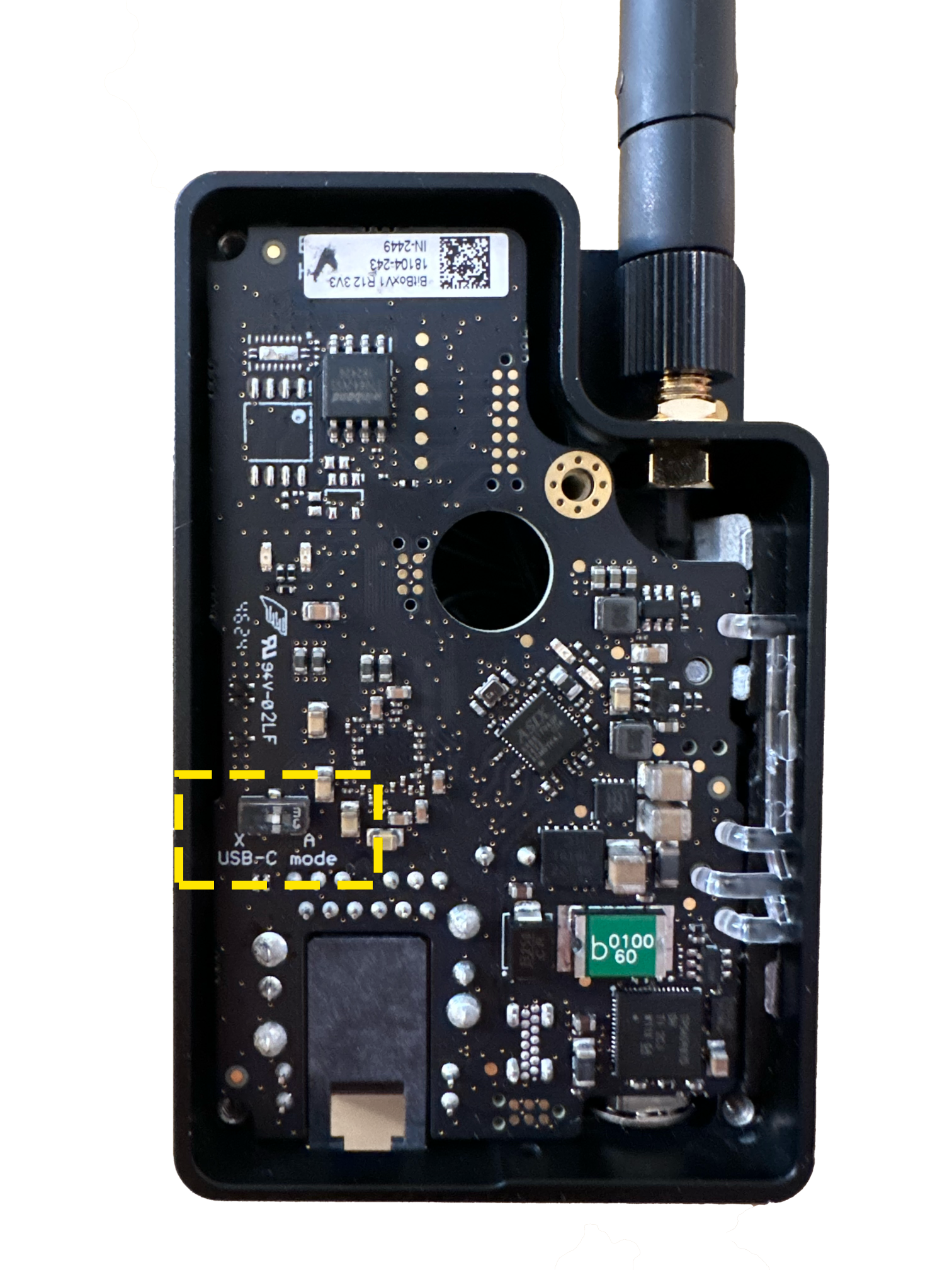
- Locate the USB-Mode switch as in the photo below.
- Flip the switch to the appropriate mode for your device (see the list above).
Driver Downloads
Most devices support bitbox natively without additional drivers. If your device requires a driver, download from the official ASIX website:
Boards with no PCB Switch
If you have an older revision bitbox board that lacks a mode switch, please contact support for a utility to change the mode.